










Header goes here

Duplicate this page (in wordpress – ‘Pages’, find this Template page and click EA duplicate’) to use as a template. Make sure to rename the copy.

Intro body copy goes here. Use the text box on your left (in the tab) to write and change content.
This block has two columns. Intro body text should be on the left side of the grid. 

Do not adjust margins or padding in these blocks. Rather, do it on full containter level. Make sure to adjust ipad and mobile if you do make changes.

Header

Sub-header

Lorem ipsum dolor sit amet

Header

Sub-header

Lorem ipsum dolor sit amet

Header

Sub-header

Lorem ipsum dolor sit amet

Images should be imported with straight edges

Click on the element ‘Image*. On the tab on the left side, click on ‘Style’ and type in ’20’ on Border radius to get the correct roundness of edges.

learning producer

Header

Lorem ipsum dolor sit amet

Header

Lorem ipsum dolor sit amet

Header

Lorem ipsum dolor sit amet

Content header

Lorem ipsum dolor sit amet, consectetur adipiscing elit, sed do eiusmod tempor incididunt ut labore et dolore magna aliqua. Ut enim ad minim veniam, quis nostrud exercitation ullamco laboris nisi ut aliquip ex ea commodo consequat.

Key header

Lorem ipsum dolor sit amet, consectetur adipiscing elit, sed do eiusmod tempor incididunt 

Key header

Lorem ipsum dolor sit amet, consectetur adipiscing elit

Key header

Lorem ipsum dolor sit amet, consectetur adipiscing 

Content header

Lorem ipsum dolor sit amet, consectetur adipiscing elit, sed do eiusmod tempor incididunt ut labore et dolore magna aliqua. Ut enim ad minim veniam, quis nostrud exercitation ullamco laboris nisi ut aliquip ex ea commodo consequat.

Duis aute irure dolor in reprehenderit in voluptate velit esse cillum dolore eu fugiat nulla pariatur. Excepteur sint occaecat cupidatat non proident, sunt in culpa qui officia deserunt mollit anim id est laborum.

Key header

Lorem ipsum dolor sit amet, consectetur adipiscing elit

key header

Lorem ipsum dolor sit amet, consectetur adipiscing elit, sed do eiusmod tempor

Key header

Lorem ipsum dolor sit amet

Content header goes here

Lorem ipsum dolor sit amet, consectetur adipiscing elit, sed do eiusmod tempor incididunt ut labore et dolore magna aliqua.

Duis aute irure dolor in reprehenderit in voluptate velit esse cillum dolore eu fugiat nulla pariatur.

Changing background colours

Select the ‘whole container’ in Structure*. On the tab to the left, click on ‘Style’.

In Background, click colour – the globe, and select the Funkis colour you would like.

*If you can’t see the Structure tab on your right, – look top left on screen. Next to the ‘E’ icon, there are three icons. The icon furthest to the right, that looks like three paper layers, is the ‘Structure’ icon. 

Linking buttons

Game-based learning. Person sits by the window

Remember to change the links in the button if you copy and paste.

Select the button element and under ‘Content’ on tab to the left, paste in the correct url. You can also choose what the button should say there.

How to work with responsive images for ipad and mobile

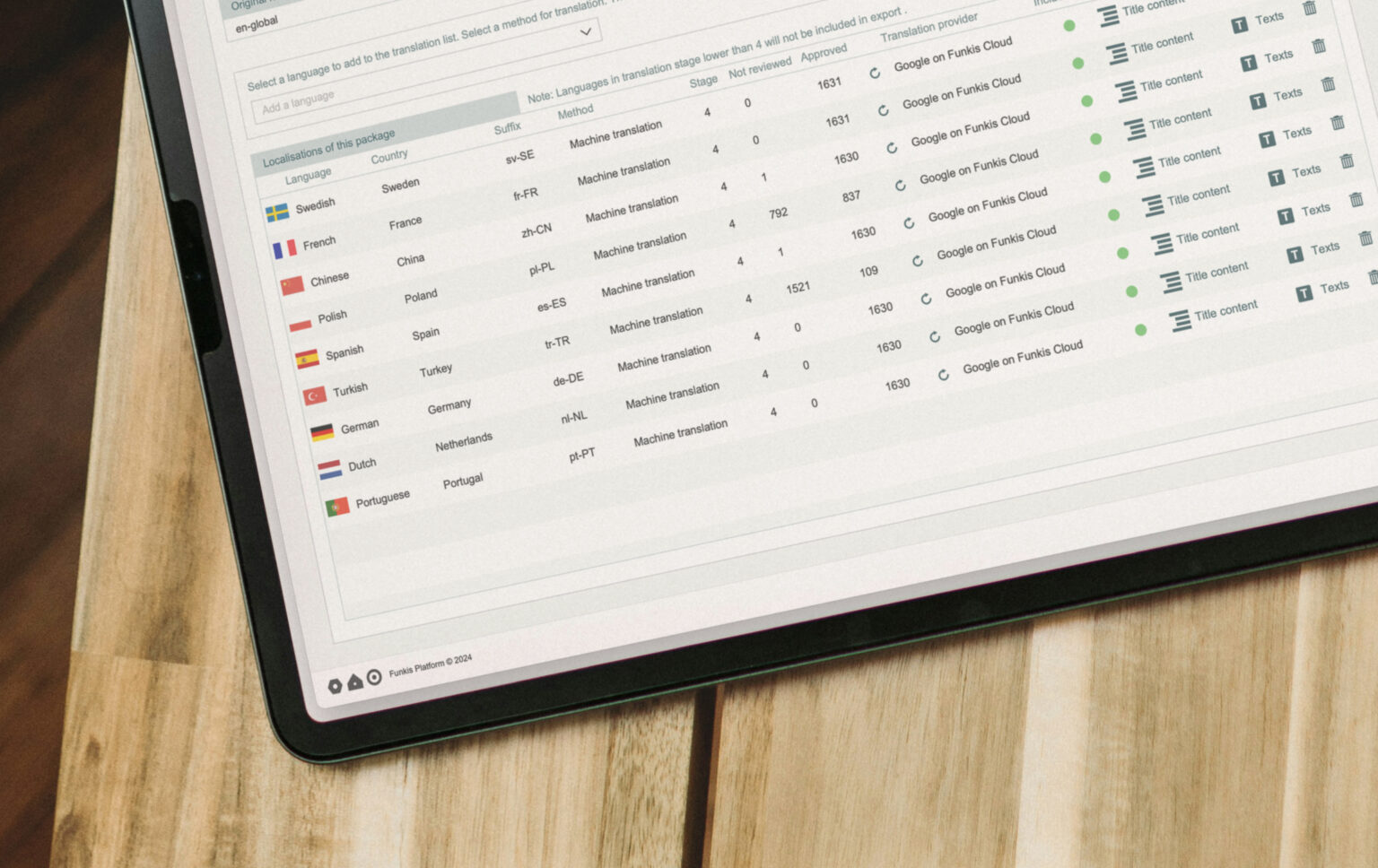
Language localisation in Funkis Authoring Tool

In this container you can see several images,. The grey image is ‘hidden’ in this view, because it is for responsive format – ipad and mobile. To access settings on the grey image, click on the ipad och mobile icon (top middle).

To edit where to show the image, select the image element in question, and on the left tab, click on ‘Advanced’. Scroll down to ‘Responsive’ and choose visibility e.g. ‘hide on desktop’.

FAQ

Some of our customers’ most common questions.

How are Funkis programmes hosted?

Funkis provides managed hosting for collaborative learning programmes. Depending on the programme, the setup can support data sharing between participants and activities.

How do you address data privacy?

For each title we identify what kind of personal data we store and for what purposes. This is clearly defined in the data privacy agreement between us and our clients. We always anonymise all user data after an agreed period of time.

Do you offer Single Sign-on?

Yes. All our corporate clients use SSO for their users. When no login is required, users can access the programme seamlessly.

How do you handle support?

When a programme is up and running, we agree with the client on the level of support needed. Where required, this is documented in an SLA.

Funkis news

Here are some stories we want to share with you.

Heroes around the world - VISTA 2026

How Volvo Trucks reimagined VISTA

From technical assessment to global adventure How Volvo Trucks reimagined VISTA How do you turn a technical competition into an engaging learning experience that strengthens collaboration, decision-making,

Read more...
Semester i hängmattan

Dags för semester!

Prova vår sommar-workshop Dags för semester! En kostnadsfri workshop för team som vill boosta semesterkänslan. På bara 20 minuter får ni möjlighet att dela semesterinspiration, reflektera över

Read more...

Want to start a project?

Get in touch for a live demo to see how we can help you.